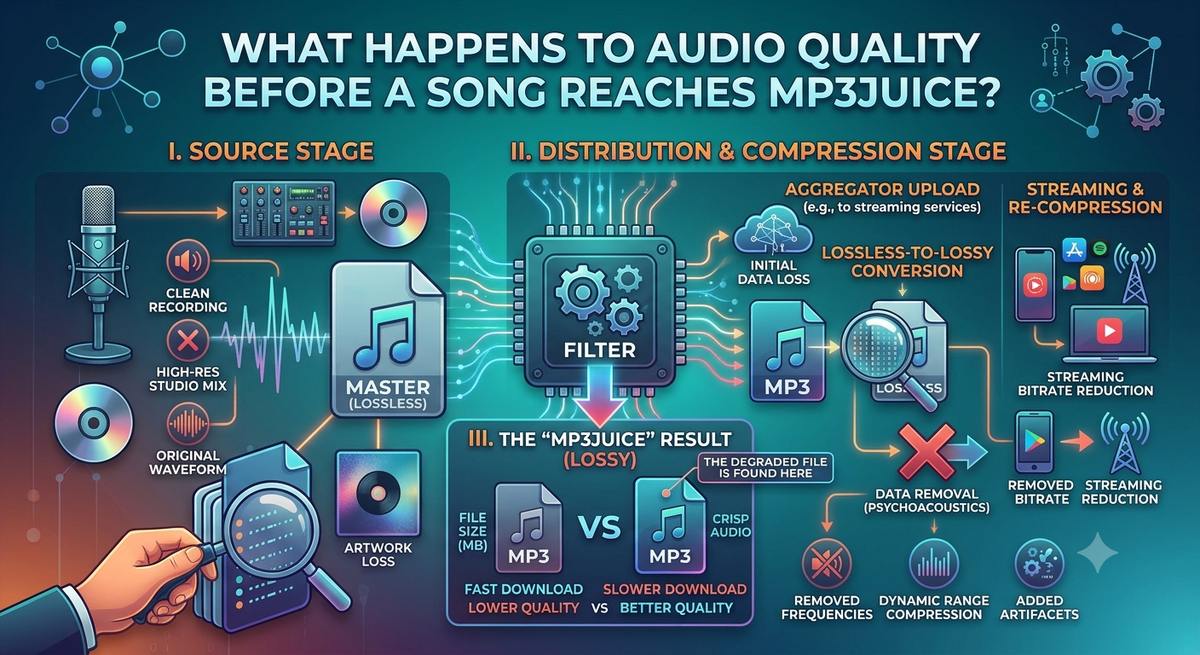
Ever downloaded a song and wondered why one version sounds clear while the other sounds dull or noisy? The audio quality can change at several points before a song arrives on your device. The listening experience depends on the original recording, the editing process, the compression settings, and the source platform.
The MP3Juice download option is very useful to know that the quality of an MP3 song download is not only dependent on the website or tool that you use to find it. The audio might have been compressed or processed before it was made available. Knowing how these changes happen can help you recognize better-quality recordings and avoid expecting a conversion tool to fix problems in the original audio.
1. Audio Quality Begins With the Original Recording
All the songs start with a recording. Professional music can be recorded in a studio with microphones, instruments, and audio gear. Other recordings may be from live performances, older tapes, or home recording setups.
The quality of the original recording is important, as that is the base for all that follows. The audio may contain background noise, unclear vocals, and distortion. Problems may be reduced in later processing but not necessarily eliminated.
For most listeners, a clean original recording is a better starting point than a noisy or damaged one.
2. Editing and Mixing Change the Sound
After recording, the song may be edited and mixed by audio engineers. They also balance instruments, reduce unwanted noise and add effects where needed and adjust vocal levels.
These steps can help a song sound more balanced and enjoyable. However, the same song may be in a different mix in different versions. One version might have a little more bass, another might make the vocals a little clearer.
Therefore, two recordings with the same title can sound different, even before any downloading or conversion occurs.
3. Compression Helps Reduce File Size
Audio files can be large, so digital formats use compression to make them easier to store and transfer. MP3 is a lossy format, which means it removes some audio information to reduce file size.
The effect depends on the bitrate and the quality of the source. Lower bitrates generally use less data and may produce more noticeable audio loss. Higher bitrates can preserve more detail, but they cannot restore information that was already removed.
For example, converting a low-quality MP3 into a 320 kbps file does not create genuine high-quality audio. The larger file may still sound like the original compressed recording.
4. Source Platforms Can Affect the Available Audio
Songs may be shared through music platforms, video websites, or other online sources. These services can use different audio formats, processing methods, and playback settings.
Sometimes, a video contains audio that has already been compressed. If that audio is extracted and converted again, another round of lossy encoding may reduce quality further.
For this reason, the final result depends on the source material and conversion process, not simply the name of the tool used.
5. What to Check Before an MP3 Song Download
Before choosing a recording, consider these practical details:
- Source quality: Look for a reliable source with a clear recording.
- Bitrate: Treat it as a useful clue, not a complete quality score.
- Song version: Check whether it is the studio track, a remix, or a live performance.
- Sound problems: Listen for distortion, background noise, or muffled vocals.
- File details: Check the duration and file size for unusual differences.
These checks can help you choose a suitable file without relying on technical numbers alone.
6. Can a Converter Improve Poor Audio?
You can change file formats or encoding settings with a converter, but it can not reliably resurrect missing audio information. Some audio editors can remove noise or change volume, but results depend on the problem and the recording.
If sound quality is a priority, begin with the best legitimate source you can find and don't keep converting the same file over and over.
Conclusion
Recording, editing, mixing, compression, and online distribution can alter the sound quality of a song before it reaches a listener. Remember that just because an MP3Juice result is a high bitrate or a large file, that doesn’t mean it will be clear. Listen carefully, check the source and compare the versions before you decide. For best results, use high-quality recordings and only download songs you own or are allowed to use or are legally allowed to download.